

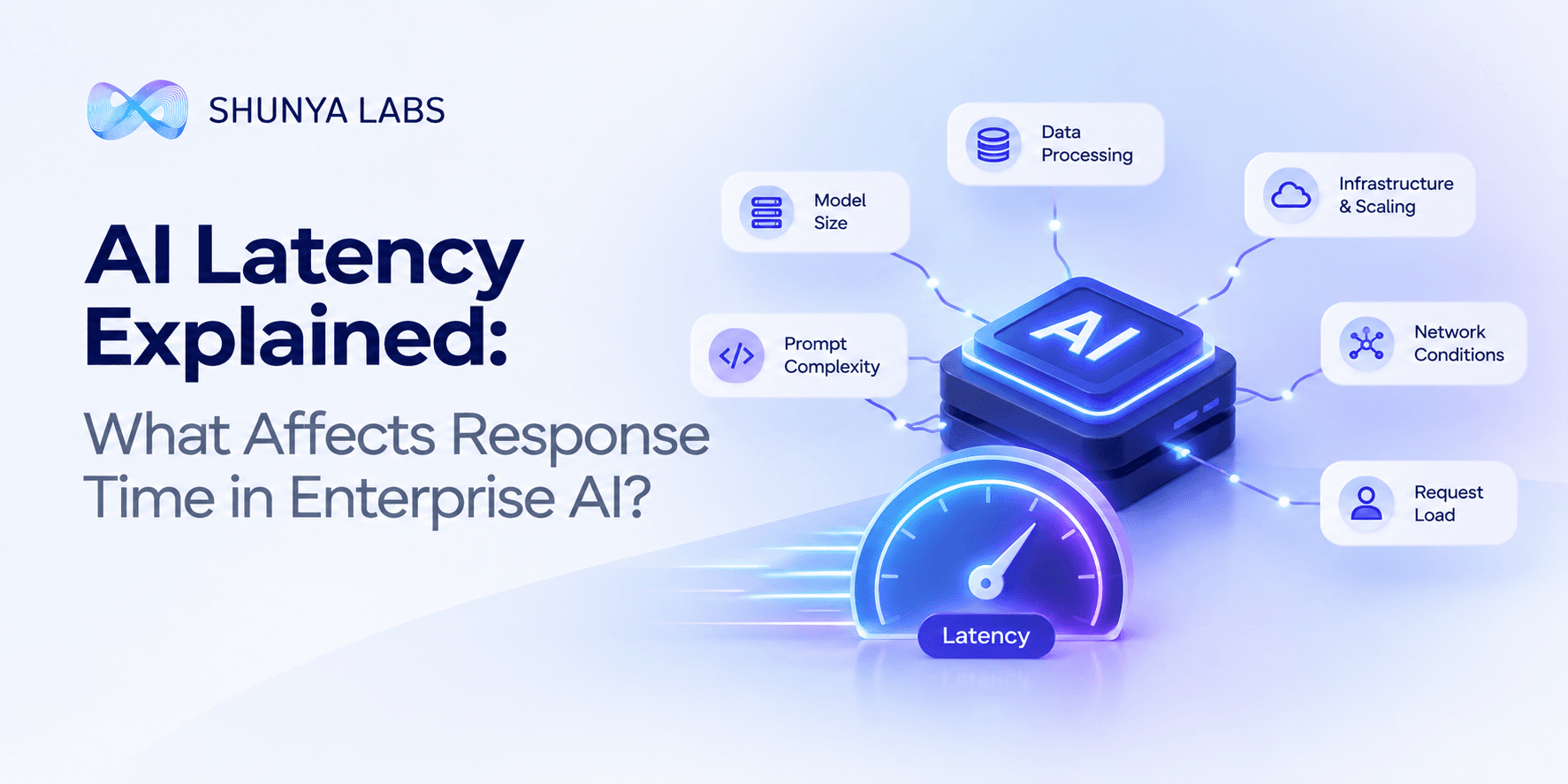
AI Latency Explained: What Affects Response Time in Enterprise AI?
TL;DR , Key Takeaways:
- AI latency is not the same as model inference time. Retrieval, APIs, networking, orchestration, speech processing and other system components also add delay.
- A text model has two important inference phases: prefill, where it processes the input, and decode, where it generates the response token by token.
- Time to First Token (TTFT) measures how long the user waits before the first output appears.
- Time per Output Token (TPOT) or time between tokens measures how quickly the response continues after generation starts.
- End-to-end latency is what the user ultimately experiences. A fast TTFT does not automatically mean a fast overall response.
- Long prompts, large retrieval contexts and long responses can all increase latency.
- Larger models generally require more compute and memory, which can increase inference latency and reduce inference density.
- A smaller, purpose-trained model can be a better fit for narrow enterprise workloads where the task does not require broad reasoning.
- Knowledge graphs and targeted retrieval can reduce unnecessary context, helping the system process only the information relevant to the task.
- For voice AI, latency includes speech recognition + knowledge retrieval + reasoning + tool execution + speech generation, not just LLM inference.
- Shunya currently reports <1.5s end-to-end voice-to-voice response for its enterprise voice agents, built around purpose-trained SLMs and knowledge graphs.
- The goal is not simply to make a model faster. It is to design the entire AI system for the latency the business actually needs.
When an AI system feels slow, the natural assumption is:
“The model is too slow.”
But enterprise AI latency is rarely caused by the model alone.
A user may be waiting for a response because the system needs to process a long prompt, retrieve enterprise knowledge, call an API, run a model, generate multiple tokens, execute a workflow, or send the result across a network.
For voice AI, there are even more stages. Speech has to be recognised, the request has to be grounded and processed, and the response has to be generated and spoken back.
That means AI latency is an end-to-end systems problem.
A useful enterprise AI architecture therefore needs to look beyond model benchmarks and ask:
How long does the user actually wait before the task is completed?
Microsoft’s current latency guidance makes the same distinction by separating time to first token, time between output tokens, and total time to the last token.
This article explains what causes AI latency, where the delays come from, how to measure them, and why smaller purpose-trained models and better enterprise architecture can significantly improve response time.
What is AI latency?
AI latency is the time between a user’s request and the system producing the desired response or completing the required action.
For a simple chatbot, that could mean: User sends message → AI starts responding
For an enterprise workflow, it might be: User request → retrieve information → reason → call CRM → validate result → generate response
For a voice agent: Speech → transcription → intent detection → knowledge retrieval → reasoning → tool execution → response generation → speech
Each stage adds some amount of time.
That is why saying:
“Our model generates tokens in 50 milliseconds”
does not tell you how quickly the customer will actually get an answer.
A production AI system should instead look at end-to-end latency.
The three latency measurements enterprises should understand
AI teams often use several metrics, but three are particularly useful for understanding text-generation latency.
Time to First Token
Time to First Token (TTFT) is the time from submitting the request until the first generated token is returned.
It is the point at which a streaming AI response begins to feel responsive.
TTFT is strongly influenced by the model’s prefill phase, where the system processes the input prompt before generation begins.
A long prompt generally means more information needs to be processed before the model can start generating.
This makes context size an important latency consideration.
Time per Output Token
Once generation starts, the model typically produces output one token at a time.
The time between tokens is often measured as time per output token, or TPOT, and is closely related to inter-token latency.
This determines whether a response feels like it is arriving smoothly or appearing slowly one token at a time.
End-to-end latency
This is the number that matters most to the user.
A simplified model is:
Total response time ≈ initial response delay + generation time + system overhead
Microsoft’s current Azure OpenAI guidance expresses total generation time as TTFT plus the time between generated tokens multiplied by the number of generated tokens. (Microsoft Learn)
But that is still only the model-serving portion.
In an enterprise application, the full user-visible latency can also include: network latency, retrieval, reranking, database queries, API calls, agent orchestration, business rules, tool execution, speech processing
That is why end-to-end latency should be a first-class metric.
Why does AI take time to respond?
There is no single reason.
Several stages can contribute to latency.
1. Input processing
Before generating anything, the model has to process the input.
That might include:
- system instructions
- conversation history
- retrieved documents
- customer data
- tool results
- structured context
The more context the system sends, the more work may be required during the initial processing phase.
This is one reason long-context AI can feel slower.
2. Model generation
After processing the input, the model generates the answer.
Longer responses naturally take longer because additional tokens have to be generated.
A 50-token answer and a 1,000-token answer are not equivalent from a latency perspective.
That means prompt design and response design both matter.
For many enterprise workflows, the user does not need a long answer.
They need: the correct answer, the right decision or the completed action
A system that produces 800 tokens when 100 would have been sufficient is doing unnecessary work.
3. Retrieval adds latency
Enterprise AI frequently uses RAG or other retrieval methods to bring business knowledge into the model’s context.
That introduces additional operations:
- search
- vector retrieval
- keyword matching
- reranking
- metadata filtering
- document loading
- and context assembly
None of this is inherently bad.
In fact, retrieval is often essential for accurate enterprise AI.
But the architecture should optimise the retrieval pipeline rather than assuming the model is the only performance-critical component.
Shunya’s enterprise AI platform is built around a knowledge-grounded architecture that combines enterprise knowledge, knowledge graphs and purpose-trained models rather than simply passing a large amount of information into a general-purpose model.
That creates an opportunity to make retrieval more targeted.
4. Enterprise APIs and tools add latency
AI agents increasingly do more than answer questions.
They retrieve records.
Check account status.
Book appointments.
Create tickets.
Update CRMs.
Trigger workflows.
Each external operation can introduce additional latency.
Consider:
“Reschedule my appointment to tomorrow afternoon.”
The AI may need to:
understand the request
→ retrieve the customer’s appointment
→ check available slots
→ call the appointment system
→ confirm the new slot
→ generate the response
The LLM may only be one part of the total latency.
This is why optimising the model while ignoring the rest of the application can produce very little improvement in the actual user experience.
5. Network latency matters
Even a fast model can feel slow when information has to travel between multiple services.
For example:
user → application → retrieval service → model service → database → CRM → application → user
Every network hop introduces some overhead.
This becomes particularly important for:
- real-time voice AI
- customer support
- interactive applications
- edge deployments
- systems spread across multiple regions
For latency-sensitive workloads, the placement of models, data, APIs and services can matter almost as much as the model itself.
Why model size affects latency
Larger models generally require more computation and memory.
That can affect: generation speed, memory pressure, hardware requirements, concurrency, model loading, throughput
A large general-purpose model can be highly capable, but that does not mean it is the best choice for every enterprise task.
Consider a workflow that only needs to:
- classify a request
- identify customer intent
- extract structured information
- route a conversation
- match a policy
- recognise domain terminology
Using a large general-purpose model for every one of these tasks may provide more capability than the workflow actually requires.
A purpose-trained Small Language Model can be designed around the specific task instead.
Shunya’s Custom SLM architecture currently reports 10× smaller models and 3× faster inference, along with benchmarked results of 240+ concurrent users on a single L4. These figures are Shunya’s published benchmark results for its evaluated workloads, rather than universal claims about all SLMs.
That is the core idea behind right-sized AI:
Use enough model capacity to solve the task reliably, not more than the task requires.
Long context can increase latency
One of the easiest ways to make an AI application slower is to give the model too much information.
Imagine a customer asks:
“Is this product eligible for a return?”
A poorly designed RAG system might retrieve:
the complete returns policy
product documentation
multiple FAQs
old policy versions
customer service guides
related product information
The model then has to process all of that context before generating the answer.
A better system first determines:
Which product?
Which region?
Which policy?
Which version?
Then it retrieves only the relevant information.
This is one reason knowledge graphs can become part of a latency strategy as well as an accuracy strategy.
A graph can help narrow the relevant business context before retrieval and generation.
The objective is: less irrelevant context → less processing → lower latency
Knowledge graphs can help reduce unnecessary retrieval
Consider a complex enterprise question:
“Which customers in India using Product A are affected by Policy B?”
A traditional document search may retrieve many documents containing:
Product A
India
Policy B
But the relationship between those entities is what determines whether the documents are relevant.
A knowledge graph can establish:
Customer → uses → Product A
Product A → sold in → India
Product A → governed by → Policy B
The system can then retrieve the specific supporting evidence.
Shunya’s platform architecture describes knowledge graphs for enterprise concepts such as products, regulations, SOPs and workflows, allowing the system to ground responses in structured business context.
The advantage is not simply better reasoning.
It can also mean less unnecessary information entering the model.
Smaller models can improve both latency and infrastructure efficiency
Latency isn’t just about how quickly a model generates tokens.
A smaller model can also change the infrastructure required to serve the workload.
Smaller models can mean:
- less memory
- lower compute requirements
- higher concurrency on the same hardware
- simpler deployment
- more options for CPU or edge inference
- lower infrastructure overhead
Shunya’s current platform architecture describes custom models ranging from 15M to 1.5B parameters, purpose-trained around enterprise workflows and terminology.
For specialised workloads, that can make the model much easier to deploy efficiently than a much larger general-purpose model.
The important metric is therefore not simply:
How fast is the model?
It is:
How many useful tasks can the system complete per unit of compute?
AI latency is also a concurrency problem
A system that is fast for one request may behave very differently under load.
Suppose an application responds in 300 milliseconds with one user.
What happens with: 100 simultaneous users?, 1,000?, 10,000?
Queueing and resource contention can increase latency significantly.
This is why enterprise AI performance testing should measure both: latency and throughput
A system may be very fast at low traffic but struggle when concurrency increases.
Shunya’s current Custom SLM benchmarks report 240+ concurrent users on one L4 for its evaluated workload. Again, this is a specific published benchmark, not a universal SLM performance guarantee.
For production planning, enterprises should test their own:
- request distribution
- prompt sizes
- output sizes
- concurrency
- peak traffic
- and failure scenarios.
Streaming changes the user’s perception of latency
There is an important difference between:
waiting 2 seconds and then seeing the entire answer
and:
seeing the response begin after 400 milliseconds while the rest is generated
The underlying total processing time may be similar, but the experience is different.
Streaming therefore makes TTFT particularly important for interactive applications.
However, streaming is not a substitute for good end-to-end performance. A system that starts quickly and then takes another 10 seconds to finish a short task is still slow.
The right approach is to track both: time to first response and time to complete response
Voice AI has an even bigger latency challenge
For a text chatbot, the user has to wait for the text response.
For voice, delays are felt immediately.
A voice interaction can involve:
speech-to-text
→ intent detection
→ knowledge retrieval
→ reasoning
→ tool calls
→ response generation
→ text-to-speech
→ audio playback
Each stage contributes to the conversational delay.
That is why voice latency needs to be evaluated end to end.
Shunya’s current enterprise voice agent reports less than 1.5 seconds end-to-end voice-to-voice response, using purpose-trained Small Language Models and knowledge graphs.
This is much more meaningful to a user than a standalone benchmark for the LLM component.
A customer is not experiencing:
“LLM latency.”
They are experiencing:
“How long did I wait before the agent answered me?”
How to reduce AI latency
Reducing latency usually requires improving the architecture rather than changing one component.
1. Use a smaller model when the task is narrow
A classification task does not necessarily require the same model as a complex reasoning task.
Shunya’s Custom SLMs are designed specifically around enterprise workflows, terminology and decision-making.
2. Reduce unnecessary context
Retrieve the information that matters rather than sending everything available.
3. Use knowledge graphs for relationship-heavy questions
A knowledge graph can help identify the relevant entities and relationships before retrieval.
4. Keep deterministic logic outside the model
If a rule can be evaluated directly, do not make the model reason about it unnecessarily.
5. Reduce unnecessary output
A 100-token answer generally finishes faster than an 800-token answer.
6. Cache repeated context
Repeatedly processing the same context can waste compute. Caching can help reuse previously computed information in appropriate serving architectures.
7. Optimise API and network calls
The model is not always the slowest part of the stack.
8. Test concurrency
Benchmark the system under realistic load rather than only testing one request at a time.
9. Deploy closer to the workload
For latency-sensitive applications, on-device and edge AI models can reduce dependence on network round trips and cloud infrastructure.
Shunya’s Zero Tiny ONNX models are designed for CPU-optimised, on-device use cases, including scenarios where internet connectivity is unavailable.
How should enterprises measure AI latency?
A useful enterprise performance dashboard should track more than one number.
– TTFT: How quickly does the first response appear?
– Time per output token: How quickly does generation continue?
– End-to-end response time: How long until the complete response is available?
– Task completion time: How long until the actual business task is complete?
– Throughput: How many requests can the system process per second?
– P95 and P99 latency: How does the system perform for slower requests rather than only the average?
– Latency under concurrency: Does performance remain stable as the number of simultaneous requests increases?
– Tool and retrieval latency: How much time is spent outside model inference?
This is important because an average latency number can hide significant problems.
A system with a 500 ms average but a 6-second P99 may still create a poor experience for a meaningful percentage of users.
The fastest model is not always the fastest system
This distinction is worth repeating.
Suppose Model A generates tokens faster than Model B.
But Model A requires:
- larger retrieval context
- more network calls
- more tool calls
- higher memory
- more orchestration
while Model B uses:
- targeted knowledge
- a smaller context
- a purpose-trained model
- fewer calls
- simpler deployment
Model A could still produce a slower overall experience.
This is why enterprise AI performance should always be evaluated at the system level.
AI latency is an architecture problem
The most effective enterprise AI systems do not optimise only the model.
They optimise the complete path:
User
↓
Application
↓
Query understanding
↓
Knowledge retrieval
↓
Model inference
↓
Tools and enterprise systems
↓
Validation
↓
Response
The architecture should minimise unnecessary work at every stage.
This is one reason Shunya positions its enterprise platform as a broader intelligence layer combining purpose-trained models, knowledge graphs, enterprise knowledge, workflows and deployment infrastructure, rather than treating the LLM as the entire application.
Final thoughts
AI latency is often presented as a model problem.
It is not.
It is a system problem.
The time a user experiences depends on much more than model size.
Prompt length matters.
Context matters.
Retrieval matters.
Network calls matter.
Tool execution matters.
Model size matters.
Output length matters.
Concurrency matters.
Infrastructure matters.
And for voice AI, every one of those factors can affect the naturalness of the conversation.
The best way to reduce latency is therefore not simply to find the fastest model.
It is to design the system so it does less unnecessary work.
Use a smaller model where a smaller model is enough.
Use a knowledge graph to narrow complex enterprise context.
Retrieve only what is relevant.
Keep deterministic rules outside the model.
Cache repeated information where appropriate.
Reduce unnecessary generation.
And measure the system from the user’s perspective, not just from the model server’s perspective.
The goal is simple:
Make the AI respond as quickly as the business requires, without spending compute on work the task never needed.
That is the foundation of low-latency enterprise AI.
Frequently Asked Questions
What is AI latency?
AI latency is the time between a user’s request and the system producing a response or completing the requested task. In enterprise applications, it can include model inference, retrieval, network communication, API calls, tool execution and other processing.
What is time to first token?
Time to First Token (TTFT) measures how long it takes from submitting an LLM request until the first generated token is returned. It is strongly influenced by the input-processing or prefill phase.
What affects LLM response time?
LLM response time can be affected by model size, prompt length, context size, output length, hardware, concurrency, queueing, network conditions and serving architecture.
Why are smaller AI models faster?
Smaller models generally require less computation and memory, which can improve inference speed and allow more requests to be handled on the same infrastructure. Actual performance depends on the model, hardware and workload.
Does RAG increase latency?
RAG adds retrieval steps, so it can increase latency. However, targeted retrieval can also reduce the amount of context the model needs to process, potentially improving overall system efficiency.
Can knowledge graphs reduce AI latency?
They can help when questions depend on complex enterprise relationships by narrowing which entities, documents and workflows are relevant before the model generates a response.
What is end-to-end AI latency?
End-to-end latency measures the total time experienced by the user, including retrieval, model inference, external tools, network calls and other application processing, rather than just the model’s generation time.
How do I reduce AI response time?
Common approaches include using smaller specialised models, reducing unnecessary context, improving retrieval, caching repeated information, reducing external calls, shortening unnecessary outputs and optimising deployment infrastructure.
What is voice AI latency?
Voice AI latency is the time between a person finishing or starting a spoken request and hearing the system’s response. It can include speech recognition, reasoning, retrieval, tool calls and text-to-speech.
What is a good AI latency for voice agents?
There is no universal threshold because acceptable latency depends on the use case, but conversational voice systems generally need very low end-to-end latency to feel natural. Shunya currently reports less than 1.5 seconds end-to-end voice-to-voice response for its enterprise voice agents.
Learn More
Explore Shunya’s enterprise AI platform, Custom Small Language Models, enterprise voice agents, on-device AI models, speech-to-text, and AI benchmarks.

Bio: Navvya works at the intersection of product strategy and applied AI research at Shunya Labs. With a background in human behaviour and communication, she writes about the people, markets, and technology behind voice AI, with a particular focus on how speech interfaces are reshaping access across emerging markets.