

Azure AI Speech Alternatives for Enterprise Voice AI
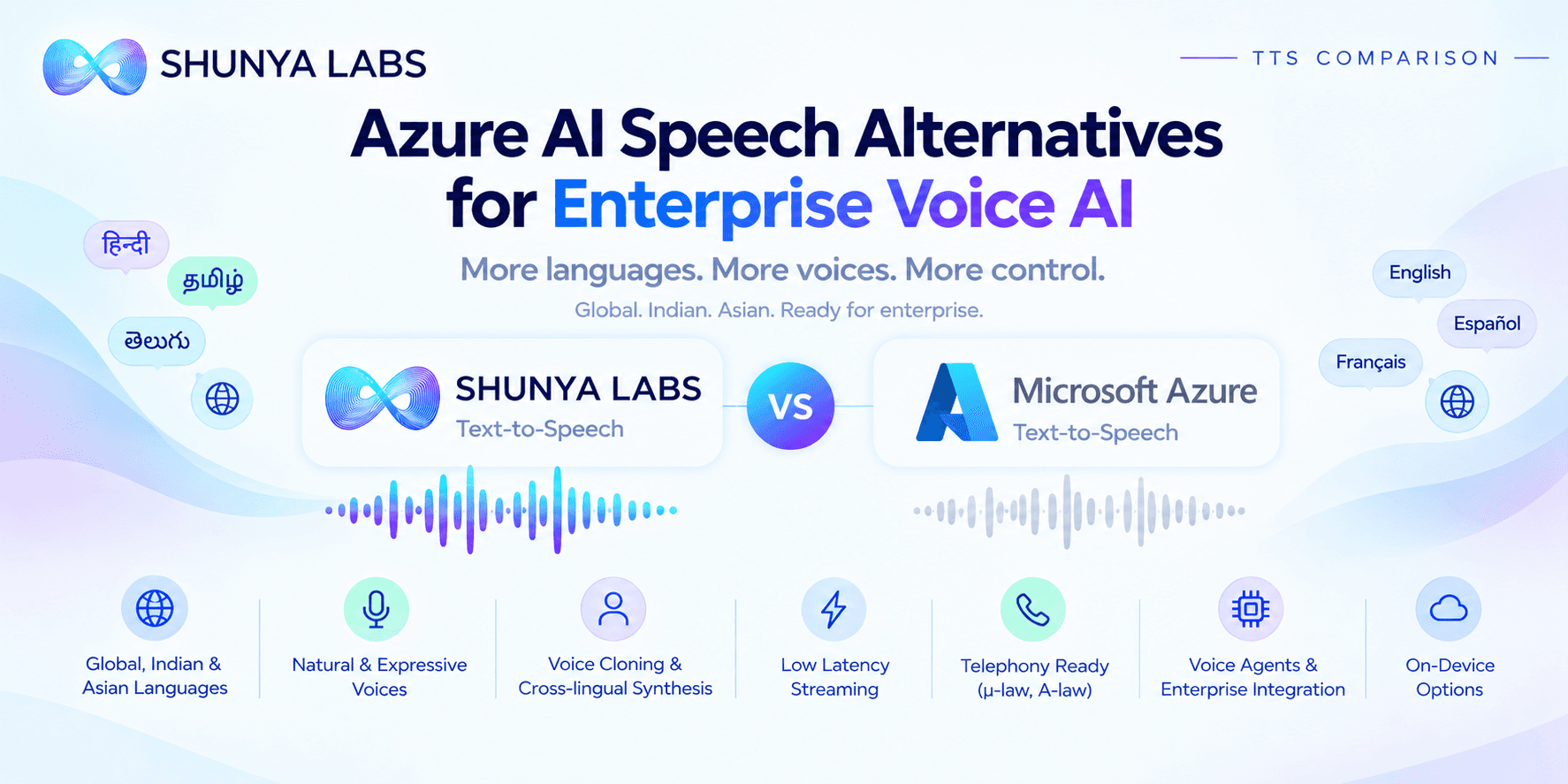
TL;DR , Key Takeaways:
- Azure AI Speech is a mature enterprise TTS platform with Neural, Neural HD, multilingual voices, SSML, custom voices, personal voice, streaming, and multi-talker capabilities.
- Azure’s newer Neural HD voices are designed for more natural conversational speech, expressive delivery, and improved pronunciation.
- Shunya focuses on global, Asian, and Indic voice applications, with 46 documented voices across 23 Indic languages plus English and 11 expression styles.
- Azure offers advanced voice control through SSML, speaking styles, roles, multilingual voices, and newer natural conversational models.
- Azure’s Personal Voice can create a user’s voice from a short speech sample and use it across 91 languages and 100+ locales, subject to eligibility and access restrictions.
- Shunya supports cross-lingual voice synthesis and cloning, with the voice identity preserved across supported languages.
- Azure has a major advantage when Microsoft/Azure integration, model variety, SSML, and enterprise cloud infrastructure are priorities.
- Shunya has a stronger proposition for Indic-focused voice applications, cross-lingual enterprise voices, telephony, and broader voice-AI integration.
- The right comparison depends on the languages, latency, pronunciation, voice identity, deployment, and workload your application actually needs.
Azure AI Speech is a mature speech platform with a broad set of text-to-speech capabilities, from standard neural voices and Neural HD to multilingual voices, custom voices, personal voice, SSML, streaming, and multi-talker synthesis.
Microsoft has also been expanding Azure Speech beyond conventional TTS. Its current stack includes Neural HD Flashfor latency-sensitive applications, MAI-Voice-1, multilingual and multi-talker voices, and integration through the Voice Live API for realtime experiences.
For enterprises already operating on Azure, this breadth can make Azure AI Speech a natural option.
But choosing a TTS platform for production voice AI requires looking beyond the cloud provider.
A production voice may need to handle:
Indian and Asian languages
Brand and product names
Currency and numbers
Regional pronunciation
Realtime conversations
Telephony
Voice cloning
Multilingual brand identity
High-frequency customer interactions
Private or edge deployment
This is where alternatives such as Shunya Zero TTS become relevant.
Shunya’s TTS stack is positioned around global, Asian, and 23 Indic language voice applications, with 46 documented voices across 23 Indic languages plus English, 11 expression styles, cross-lingual synthesis, voice cloning, streaming, and enterprise deployment options.
The useful question isn’t simply which service has the largest voice catalogue.
It is:
Which TTS platform fits the voice experience your enterprise actually needs to deliver?
Azure AI Speech is more than a conventional TTS API
Azure AI Speech has evolved into a fairly broad speech platform.
Its current TTS offering includes:
Standard neural voices
Neural HD voices
Multilingual voices
Custom voices
Personal Voice
Multi-talker voices
Streaming and batch synthesis
SSML controls
The platform also connects with Voice Live, which brings Azure Speech into realtime voice experiences using supported speech and conversational models.
This breadth matters for enterprises because a single organization may need very different voice experiences.
A contact center needs one kind of voice.
An IVR needs another.
A digital assistant needs another.
An audiobook workflow needs another.
A healthcare assistant needs another.
Azure lets teams choose among different model and voice families rather than forcing every scenario through one synthesis model.
Shunya takes a more focused route, organizing its TTS offering around production voice applications, multilingual identity, Indic voices, expressive delivery, and voice-agent integration.
Voice quality is no longer just about sounding human
Modern TTS has largely moved beyond obviously robotic speech.
The harder question is whether a voice stays natural when the input becomes complicated.
For example:
“Your payment of ₹1,25,499.50 has been received and the refund will be processed within three to five working days.”
The system has to handle:
Currency
Numbers
Punctuation
Pauses
Emphasis
Conversational pacing
Azure’s Neural HD voices are explicitly designed to improve naturalness, pronunciation, prosody, emotional expression, and conversational flow. Microsoft says the models can automatically understand the content and adjust speaking tone according to sentiment.
Shunya also positions Zero TTS around natural pacing, pauses, emphasis, pronunciation, and conversational speech, rather than only long-form narration.
For a serious enterprise comparison, voice quality should therefore be assessed across more than one dimension:
Naturalness
Prosody
Pronunciation
Expression
Consistency
A voice that sounds excellent in a 10-second demo may behave very differently during a 20-minute customer conversation.
Azure has a deep pronunciation and SSML toolset
One of Azure Speech’s long-standing strengths is control.
Its SSML system lets developers control things such as:
Pitch
Speaking rate
Volume
Pauses
Pronunciation
Speaking styles
Voice selection
Azure also supports custom lexicons and multilingual voice behavior through SSML.
For enterprises, this can be extremely useful.
Suppose the application needs to say:
₹24,500
AB-2047-X
12 October 2026
500 mg
An application can use markup and pronunciation controls to make the output more predictable.
Shunya also provides language-aware TTS and pronunciation controls, while its voice architecture separates voice identity from language for cross-lingual synthesis.
The practical test is simple:
Take your hardest production text and listen to both systems.
Don’t benchmark only:
“Welcome to customer support.”
Benchmark the things that can actually create customer errors.
Indian voice quality is a different problem from Indian language availability
Azure has strong Indian-language support.
Its current language and voice catalogue includes multiple Indian locales and voices, while its newer multilingual voice systems can automatically detect the language of input within supported voice capabilities.
Microsoft also provides voices specifically oriented toward Indian English and Indian-language conversational use cases through newer realtime capabilities. For example, the current Azure realtime voice set includes voices such as Aarti for Indian-accented English and Diya for Hindi and Indian-accented English support.
Shunya’s proposition is more specifically centered on Indic voice generation.
Its Zero TTS Indic stack is built around Indian phonetics, regional pronunciations, dialects, and local speech patterns, with documented voices across global, asian and 23 Indic languages.
That distinction matters.
An enterprise assistant may need to pronounce:
Indian names
Indian places
Government schemes
Bank names
Medical terminology
Regional words
English words inside Indian-language sentences
This is where native pronunciation matters more than the fact that a language appears in a supported-language table.
Global, Asian and Indic voices need to work together
Large enterprises rarely operate in only one market.
A brand may need:
English for global customers
Hindi for India
Tamil for regional support
Japanese for East Asia
Korean for another market
The challenge is maintaining the same brand identity across all of them.
Shunya’s TTS documentation explicitly supports cross-lingual synthesis, where the voice identity and language can be controlled separately.
That means a company can build one recognizable voice and use it across global, Asian, and Indic language environments.
Azure also offers multilingual voices that can automatically speak supported input languages, and its personal voice capability can generate speech across 91 languages and 100+ locales.
So both platforms support multilingual voice experiences.
The more useful benchmark is:
Does the voice still sound like the same assistant when the language changes?
Measure:
Timbre
Accent
Prosody
Pacing
Emotional delivery
That is particularly important for customer-facing brands.
Azure’s voice model range is a major advantage
Azure has an unusually broad model portfolio.
Its current HD documentation identifies:
DragonHD, with 30+ fine-tuned voices focused on enterprise-quality speech.
DragonHDOmni, with 500+ voices and broader multilingual and style support.
Azure also offers Neural HD Flash for applications where responsiveness is particularly important. Microsoft describes HD Flash as optimized for scenarios such as voice assistants and call-center automation, balancing latency, pronunciation, and prosody.
There is also MAI-Voice-1, Microsoft’s in-house speech foundation model, currently available in preview in Azure Speech.
This gives Azure developers a lot of choice.
Shunya’s catalogue is intentionally smaller.
Its documentation lists 46 voices across 23 Indic languages plus English, with 11 expression styles.
That is not a weakness for every application.
An enterprise often needs a small number of reliable production voices, not hundreds of voices that nobody uses.
The key question is whether you need voice variety or voice consistency.
Expression: Azure gives you a very deep control layer
Azure’s current HD voice system supports a large set of styles and paralinguistic tags, including emotions such as:
Happy
Calm
Confident
Empathetic
Concerned
Excited
Frustrated
Reassuring
Sad
and many more.
It also supports paralinguistic effects such as laughter, breathing, sighing, yawning, coughing, and throat clearing.
Azure also supports roles, allowing a voice to take on different age and gender characteristics in supported scenarios.
Shunya provides a more structured expression system with 11 styles, including Conversational, Narrative, News, Happy, Sad, Angry, Fearful, Surprised, and Enthusiastic.
This is a meaningful difference.
Azure: highly granular control and a very broad style system.
Shunya: standardized production-oriented voice styles.
For creative production, Azure’s range can be valuable.
For customer-facing enterprise systems, standardized styles can make brand voice governance easier.
Voice cloning has changed significantly
Azure’s voice cloning capabilities have become much more sophisticated.
Its Personal Voice feature allows users to create a synthetic replication of their own voice from a short speech sample, with synthesis supported across 91 languages and 100+ locales. Microsoft states that personal voice creation takes less than five seconds after the required audio is provided, although API access is restricted to eligible customers and approved use cases.
Azure also offers Professional Voice, where customers provide larger training datasets to create a more specialized custom voice.
Shunya supports voice cloning from a short reference clip, with cross-lingual synthesis available through its TTS architecture.
For production buyers, the important questions are now:
How much reference audio is required?
How similar is the voice?
How stable is it?
How well does it perform across languages?
Can it be used in realtime?
What are the approval and deployment requirements?
Voice cloning should always be implemented with explicit consent and appropriate rights from the source speaker. Microsoft requires explicit consent for personal voice creation.
Realtime TTS is becoming a core enterprise requirement
Azure has invested heavily in realtime speech.
Its Neural HD Flash models are explicitly designed for latency-sensitive scenarios, while Azure’s Voice Live platform is built around realtime audio experiences.
Azure also now offers a dedicated azure-realtime model through Voice Live, with native voices designed specifically for realtime conversations.
Shunya supports WebSocket streaming TTS for realtime use cases including voice agents and IVR.
But a published latency number isn’t enough.
For a real voice agent, measure:
User stops speaking
↓
STT completes enough information
↓
LLM starts generating
↓
TTS starts
↓
User hears the first response
That is the end-to-end latency the customer experiences.
Multi-talker and dialogue generation are becoming important
Azure has a particularly interesting capability here.
Its Neural HD multi-talker voices can generate dialogue between distinct speakers while maintaining contextual coherence and emotional consistency. Microsoft describes these as useful for podcasts, storytelling, and conversational exchanges.
The current Azure documentation includes multilingual multi-talker voices for languages such as English, French, Spanish, German, Italian, Portuguese, Korean, Japanese, and Chinese.
This can be useful when an application needs generated dialogue rather than single-speaker TTS.
Shunya’s TTS positioning is more focused on single-assistant and enterprise conversational voice experiences.
So if the application is:
Podcast generation
Dialogue narration
Multi-character content
Azure’s multi-talker capabilities can be particularly relevant.
For:
Voice agents
IVR
Customer support
Multilingual assistants
the evaluation shifts toward latency, pronunciation, voice identity, and conversational stability.
Telephony is where enterprise TTS gets practical
A production voice often doesn’t play through a high-end speaker.
It plays through a phone.
That introduces:
8 kHz audio
μ-law
A-law
Network buffering
Fast streaming
Compressed audio
Shunya’s TTS API supports μ-law and A-law alongside PCM, WAV, MP3, OGG Opus, and FLAC.
Azure Speech supports a broad range of output formats and can be integrated into realtime voice workflows through Azure Speech and Voice Live.
The right benchmark is an actual phone call.
Take the same generated response and compare:
Pronunciation
Clarity
First-audio latency
Turn-taking
Interruptions
Voice quality after telephony encoding
Studio quality is not the same thing as customer-call quality.
On-device voice changes the architecture
Enterprise AI is increasingly moving closer to the user.
That can mean:
Retail devices
Automotive
Kiosks
Field applications
Offline assistants
Private enterprise systems
Azure provides Embedded Speech, where speech models and voices can be downloaded and run locally on supported devices. Microsoft’s current embedded speech documentation lists a defined set of local speech models and TTS locales.
Shunya also provides On-Device Models for lightweight local speech and voice applications.
The important questions are:
What runs locally?
How much hardware is needed?
Does it require a GPU?
How large is the model?
How much latency is saved?
What happens without network connectivity?
These questions can completely change the architecture of a voice application.
Pricing depends heavily on which Azure model you choose
Azure Speech uses per-character billing for neural TTS, with a free F0 allowance and different commercial tiers for standard neural voices, Neural HD, custom voice, personal voice, and other capabilities.
That means there isn’t one meaningful number called “Azure TTS pricing.”
Your cost depends on:
Voice model
Characters generated
Realtime versus batch
Custom voice
Personal voice
Volume
Deployment
Shunya also uses model and usage-based pricing through its pricing structure.
For production planning, calculate:
Cost per million characters
Cost per generated minute
Peak concurrency
Voice cloning
Model tier
STT
LLM
Infrastructure
The useful metric is cost per successful interaction, not simply cost per million characters.
Where Azure AI Speech is the better fit
Azure is particularly compelling when you need:
Deep Microsoft ecosystem integration
Azure Speech fits naturally into broader Microsoft cloud and enterprise infrastructure.
Multiple TTS model families
Neural, Neural HD, HD Flash, MAI-Voice-1, multilingual, personal, and custom voice options give teams substantial flexibility.
SSML and fine-grained control
Useful for enterprise applications that need precise control of pronunciation, pitch, rate, pauses, and styles.
Advanced expressive speech
Azure’s HD voice style system includes extensive emotional and paralinguistic controls.
Personal and custom voices
Azure provides both Personal Voice and Professional Voice workflows.
Multi-talker synthesis
Useful for dialogue, podcasts, and generated conversations.
Realtime enterprise voice
Neural HD Flash and Voice Live target latency-sensitive voice interactions.
Where Shunya is a strong alternative
Shunya is particularly compelling when:
Indic voice quality is central
The Zero TTS Indic stack is specifically designed around Indian phonetics, regional pronunciation, and Indic speech.
You need global, Asian, and Indic voices
Shunya’s documented TTS stack combines broader world-language support with 23 Indic languages plus English.
One voice should work across languages
Shunya supports cross-lingual voice synthesis so voice identity can remain consistent as the language changes.
You are building multilingual customer experiences
This is particularly relevant to contact centers, BFSI, healthcare, telecom, retail, and government services.
TTS is part of a broader voice-AI system
The Shunya Platform combines STT, TTS, voice agents, custom SLMs, edge speech understanding, and knowledge-grounded AI.
You need telephony-ready audio
Shunya supports μ-law and A-law as part of its TTS output formats.
You need local voice processing
On-Device Models provide a path toward lightweight local inference.
Azure AI Speech alternatives by use case
| Use case | Relevant fit |
|---|---|
| Existing Microsoft / Azure architecture | Azure AI Speech |
| Broad enterprise TTS | Both |
| SSML-heavy applications | Azure AI Speech |
| Fine-grained style control | Azure AI Speech |
| Multi-talker dialogue generation | Azure AI Speech |
| Personal voice | Azure AI Speech |
| Professional custom voice | Azure AI Speech / Both |
| Indian-language enterprise TTS | Shunya |
| Indic-focused voice applications | Shunya |
| Global + Asian + Indic voice deployment | Shunya / Both |
| Cross-lingual brand voice | Both / Shunya |
| Realtime TTS | Both |
| Voice agents | Both |
| Enterprise IVR | Both / Shunya |
| Telephony | Both |
| Edge voice applications | Both / Shunya |
| Broader STT + TTS + voice-AI stack | Shunya |
| Microsoft ecosystem integration | Azure AI Speech |
How to evaluate Azure AI Speech alternatives
Start with the text your application actually generates.
Build a test set containing:
Conversational responses
Names
Numbers
Currency
Dates
Acronyms
URLs
Product names
Medical terminology
Indian-language sentences
Code-switched text
Longer responses
Then measure:
Naturalness
Does the voice sound human over short and long interactions?
Pronunciation
Are names, numbers, brands, places, and technical terms correct?
Prosody
Are pauses and emphasis natural?
Expression
Can the voice communicate the intended tone?
Voice consistency
Does the same identity remain stable across repeated responses and languages?
First-audio latency
How quickly does the user hear the response?
Streaming behavior
Does the voice remain natural when text arrives incrementally from an LLM?
Telephony quality
Does the voice remain clear after phone-network encoding?
Cost
What does the full system cost at your actual monthly volume?
For a voice agent, also measure:
User stops speaking → first audible response
That is a much more useful metric than comparing isolated TTS generation speed.
Final words
Azure AI Speech is a mature enterprise voice platform with an impressive range of capabilities.
Its current stack includes Neural voices, Neural HD, HD Flash, multilingual voices, Gemini-style conversational control through newer Microsoft speech systems, Personal Voice, Professional Voice, SSML, multi-talker synthesis, and realtime voice infrastructure through Voice Live.
For enterprises already deeply invested in Microsoft, that breadth can make Azure a natural fit.
But an enterprise TTS decision shouldn’t be reduced to cloud-provider familiarity.
Shunya approaches production voice from the speech layer outward.
Its TTS stack combines global, Asian, and Indic voice applications, with 46 documented voices across 23 Indic languages plus English, 11 expression styles, cross-lingual synthesis, voice cloning, streaming, telephony formats, and broader voice-AI integration.
The key Shunya differentiators are:
Indic voice specialization
Cross-lingual voice identity
Production-oriented expression
Telephony support
Voice cloning
Edge options
and integration with STT, speech intelligence, voice agents, SLMs, and knowledge-grounded AI.
Azure may be the better fit when Microsoft integration, SSML, model variety, multi-talker generation, custom voice workflows, and enterprise cloud infrastructure are the main priorities.
Shunya becomes particularly compelling when the application needs Indian and Asian voice quality, multilingual enterprise voice identity, conversational TTS, telephony, and a broader voice-AI architecture.
The best way to evaluate the two is not to listen to a generic demo.
Use your actual application text.
Test:
Names.
Numbers.
Currency.
Regional words.
Indian languages.
Code-switching.
Technical terminology.
Long responses.
Then compare pronunciation, naturalness, expression, voice consistency, first-audio latency, telephony quality, and cost.
Because enterprise TTS isn’t about generating speech that sounds impressive once.
It’s about generating speech that sounds right every time your product speaks.
Frequently asked questions
What are the best Azure AI Speech alternatives?
The right alternative depends on the application. Shunya, ElevenLabs, Cartesia, Smallest.ai, and Inworld each approach TTS differently, from creative voice generation to realtime enterprise voice AI.
Is Shunya an Azure AI Speech alternative?
Yes. Shunya provides production TTS across global, Asian, and Indic voice applications, with cross-lingual synthesis, voice cloning, streaming, telephony support, and integration with a broader voice-AI stack.
Does Azure AI Speech support Indian languages?
Yes. Azure Speech supports multiple Indian-language locales and voices, while newer multilingual and realtime voice capabilities add more Indian-focused voice options.
Does Shunya support Indian voices?
Yes. Zero TTS Indic is specifically designed around Indian phonetics, regional pronunciation, and Indic speech, with documented voices across 23 Indic languages plus English.
Does Azure support voice cloning?
Yes. Azure provides Personal Voice and Professional Voice capabilities, with Personal Voice supporting synthesis across 91 languages and 100+ locales on eligible access.
Does Shunya support voice cloning?
Yes. Shunya supports voice cloning from a short reference clip and cross-lingual synthesis.
Does Azure support expressive TTS?
Yes. Azure Neural HD voices support a broad set of styles and paralinguistic effects, including emotional styles, laughter, breathing, sighing, coughing, and other effects.
Does Shunya support expressive speech?
Yes. Shunya provides 11 expression styles, including Conversational, Narrative, News, Happy, Sad, Angry, Fearful, Surprised, and Enthusiastic.
Does Azure support multi-talker TTS?
Yes. Azure provides multi-talker voices designed for coherent multi-speaker dialogue, including podcast-style and conversational scenarios.
Does Azure support realtime TTS?
Yes. Azure offers Neural HD Flash and realtime voice capabilities through Voice Live.
Does Shunya support streaming TTS?
Yes. Shunya provides WebSocket streaming TTS for realtime applications.
Does Shunya support telephony?
Yes. Shunya supports μ-law and A-law alongside PCM, WAV, MP3, OGG Opus, and FLAC.
Which is better for Microsoft Azure users?
For organizations already standardized on Microsoft Azure, Azure AI Speech can be the more natural architectural fit because TTS integrates directly into the existing Azure environment.
Which is better for Indian enterprise voice applications?
Shunya has a particularly strong proposition where the application depends on Indic voice specialization, regional pronunciation, multilingual voice identity, telephony, and enterprise voice agents.
How should I compare Azure AI Speech alternatives?
Use the same production text and compare naturalness, pronunciation, prosody, expression, voice consistency, first-audio latency, streaming behavior, telephony quality, and cost at your expected scale.

Bio: Navvya works at the intersection of product strategy and applied AI research at Shunya Labs. With a background in human behaviour and communication, she writes about the people, markets, and technology behind voice AI, with a particular focus on how speech interfaces are reshaping access across emerging markets.