

Why AI Doesn't Always Need a Big GPU: Right-Sizing Enterprise Model Infrastructure
TL;DR , Key Takeaways:
- Not every enterprise AI workload needs a large GPU.
- GPU requirements depend on more than model size. Context length, concurrent users, response length and latency requirements also matter.
- A large model may require multiple GPUs simply to fit into available memory, before considering how many users need to use it at the same time.
- Smaller, purpose-trained models can reduce the amount of infrastructure required for narrow enterprise workloads.
- CPU-based and on-device AI can be practical for certain specialised use cases.
- Quantisation can reduce model memory requirements, but choosing the right model in the first place is often the bigger decision.
- Long context and high concurrency can increase memory requirements even when the underlying model does not change.
- Infrastructure should be evaluated using latency, throughput, concurrency, utilisation and cost per completed task, not GPU specifications alone.
- The right architecture may combine small models, larger models, knowledge graphs, business rules, cloud infrastructure and edge inference.
- The goal is not to avoid GPUs. It is to use the least infrastructure that reliably meets the business requirement.
When businesses plan an AI application, one of the first infrastructure questions is often:
How many GPUs do we need?
That is an important question, but it can lead to the wrong starting point.
The better question is:
What kind of AI workload are we actually trying to run?
A large language model may need substantial GPU memory and compute. But not every enterprise task needs a large language model, and not every AI workload needs a large GPU.
A system that classifies customer requests, extracts information from documents, identifies intent or handles a simple voice command has very different infrastructure requirements from a system performing complex reasoning across thousands of documents.
This is why AI infrastructure should be sized around the workload, not around the biggest model available.
Current inference guidance from AWS makes the same point: infrastructure requirements depend on the model, input and output length, concurrency and latency targets, meaning two deployments using the same model can require very different infrastructure.
NVIDIA’s current enterprise guidance similarly recommends sizing GPU infrastructure around the actual workload rather than peak hardware specifications alone.
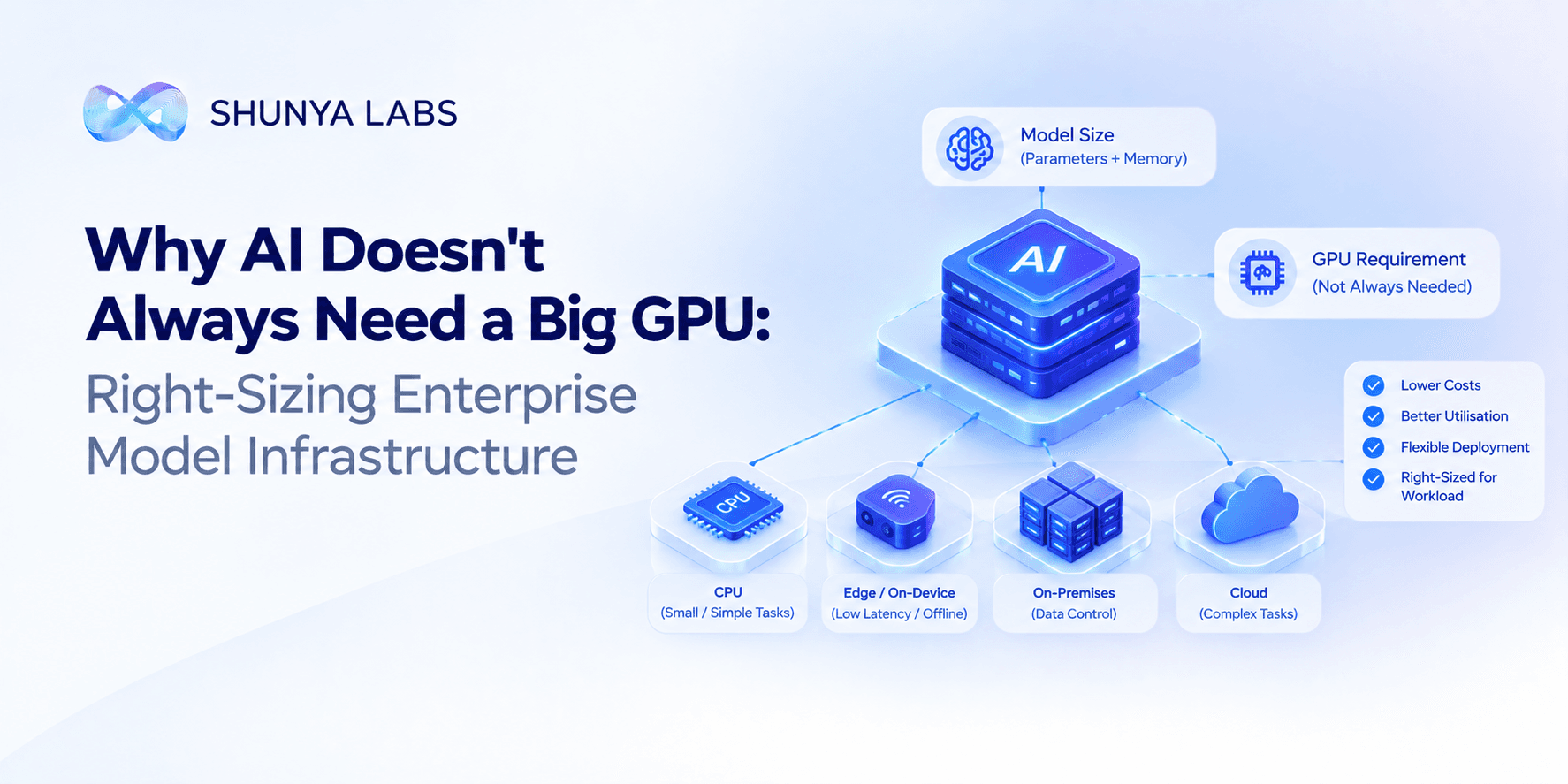
For enterprises, right-sizing infrastructure can mean lower costs, better utilisation, more predictable performance and more flexibility in where AI can run.
Do you need a GPU for enterprise AI?
Not always.
GPUs are extremely useful for AI inference because they can perform the large numbers of calculations required by modern models very efficiently.
But whether an enterprise needs a GPU depends on what the AI is actually doing.
A large model handling complex reasoning may need powerful GPU infrastructure.
A smaller model performing a narrow classification task may require substantially less compute.
A lightweight speech or intent model may be able to run on a CPU.
Some highly optimised models can run directly on devices.
Our on-device AI models, for example, are designed for CPU-only inference and are packaged at 5–15 MB, making them suitable for devices and environments where a dedicated GPU is not practical.
So the answer to:
“Do I need a GPU for AI?”
is:
It depends on the model, the task, the traffic and the response-time requirement.
Why large AI models need more GPU memory
A model contains learned parameters, and those parameters need to be available when the model is running.
The larger the model, the more memory its weights typically require.
AWS provides a useful illustration of this relationship. Its current inference guidance estimates approximately:
| Model size | FP16 model-weight memory |
|---|---|
| 7B parameters | ~14 GB |
| 13B parameters | ~26 GB |
| 70B parameters | ~140 GB |
These figures refer to model weights and do not include the additional memory required for things such as runtime state and context.
That difference becomes important very quickly.
A model requiring around 14 GB of memory may fit on a relatively accessible accelerator.
A model requiring around 140 GB for weights alone may require multiple GPUs or a much larger-memory accelerator. AWS explicitly notes that a 70B model in FP8 can already exceed the memory available on a single 48 GB L40S, requiring either sharding across multiple GPUs or a higher-memory accelerator.
This is why model selection and infrastructure selection should happen together.
GPU memory is not the whole picture
One common mistake is to calculate:
model size → GPU memory
and stop there.
Real inference workloads need additional memory.
The system also needs to handle:
- the input context
- the generated response
- multiple users
- runtime operations
- conversation state
For LLMs, the KV cache can become a significant part of memory usage, particularly when contexts are long or many requests are running at the same time. AWS notes that KV-cache requirements grow with context length, output length and concurrent requests.
That means the same model can require very different infrastructure depending on how it is used.
For example:
Workload A: short prompts, short answers and a few concurrent users
Workload B: long documents, long conversations and dozens of concurrent users
The model could be identical.
The infrastructure requirement is not.
You may not need the biggest GPU
Once an enterprise understands the workload, a more useful question becomes:
What is the smallest infrastructure configuration that can meet the required performance?
Suppose an application needs:
- sub-second initial response
- 100 concurrent users
- short requests
- short answers
The infrastructure required could be very different from an application that needs: long document analysis, large context, complex reasoning, hundreds of simultaneous requests
This is why AWS recommends defining the workload before selecting the accelerator. Its current sizing framework includes average and peak input/output length, concurrency, response-time requirements and traffic patterns.
In other words:
Choose the workload first. Choose the GPU second.
Bigger GPUs are not automatically more cost-effective
A more powerful GPU can process more work.
That does not mean it is always the cheapest option for the business.
NVIDIA’s current guidance specifically recommends comparing infrastructure based on workload-specific factors such as memory footprint, latency, concurrency and cost, rather than simply choosing the highest-performance accelerator.
Imagine three infrastructure options:
| Option | Capacity | Possible fit |
|---|---|---|
| Smaller accelerator | Lower | Small models and moderate workloads |
| Mid-range accelerator | Medium | Many production enterprise workloads |
| High-end accelerator | Very high | Large models and demanding workloads |
If the workload only needs the middle option, using the largest one creates unused capacity.
This is the AI infrastructure equivalent of buying a much larger server than the application requires.
Smaller models can change the GPU requirement
The most direct way to reduce infrastructure demand is often to reduce the amount of model capacity required.
This is where Custom Small Language Models become relevant.
A purpose-trained SLM can focus on:
- intent classification
- routing
- structured extraction
- enterprise terminology
- workflow decisions
- domain-specific tasks
rather than trying to support every possible language task.
Our platform describes dedicated models ranging from 15M to 1.5B parameters, giving enterprises a way to select model capacity according to the workload.
Our published benchmarks also report 10× smaller models, 3× faster inference and 240+ concurrent users on a single L4 for the evaluated workloads. These are published benchmark results for the specific workloads and methodology used, not a universal promise for every SLM or application.
The important idea is:
A model that needs less infrastructure can change the economics of the entire application.
Not every enterprise task needs a GPU
Some tasks can be handled with much lighter infrastructure.
For example:
Intent detection
A model identifies whether a customer wants to: cancel, upgrade, make a payment, check a status and/or speak to an agent
A specialised model may be enough.
Information extraction
The system may need to extract:
- invoice number
- customer name
- date
- product
- amount
Again, the task is much narrower than open-ended reasoning.
Local voice commands
A device may need to understand:
“Turn on the lights.”
A lightweight local model can handle this without sending the audio to a large cloud model.
Our Zero Tiny ONNX models are designed specifically for this type of environment, with 5–15 MB model packages, CPU-only inference and offline operation.
When do you actually need a large GPU?
There are workloads where powerful GPU infrastructure makes sense.
Examples include:
- Large language models
Models with substantial memory requirements may require high-memory accelerators or multiple GPUs. - Complex reasoning
Broad reasoning workloads can require more capable models and greater compute. - Long-context applications
Large amounts of context can increase runtime memory requirements. - High concurrency
Large numbers of simultaneous requests can require additional capacity. - Real-time workloads with strict latency requirements
Meeting aggressive response-time targets may require more compute. - High-throughput workloads
Applications processing large volumes of requests may need more accelerator capacity. - Multimodal workloads
Processing several types of input can increase computational requirements.
The important point is that needing a GPU is not the same as needing the biggest GPU.
Model size and workload should be considered together
A useful infrastructure-planning exercise starts with the application.
Ask:
What model are we using?
How large is it?
How much information enters each request?
How much does the model generate?
How many users will be active at once?
What response time do we need?
What happens during peak traffic?
Where does the model need to run?
These questions matter because two applications using exactly the same model can have dramatically different infrastructure needs.
AWS gives the example of workloads where changing context length and concurrent requests substantially changes the amount of memory required for the same model.
Long context can make GPU requirements larger
This connects directly to our article on why long context makes AI more expensive.
Longer context does not change the model’s parameter count.
But it can increase runtime memory requirements.
For production applications, that matters because a workload with:
2,000-token requests
may have very different memory requirements from one with:
20,000-token requests.
The difference can become even larger when multiple users are active at the same time.
That is why context optimisation can also be a hardware optimisation strategy.
Better retrieval can mean less unnecessary context.
Less unnecessary context can mean lower runtime memory pressure.
Lower memory requirements can make a smaller infrastructure configuration viable.
Model routing can prevent unnecessary GPU usage
Another way to right-size infrastructure is to avoid sending every request to the most demanding model.
Our AI model routing architecture uses a simple principle:
- Route simple tasks to smaller models.
- Route complex tasks to more capable models.
- Use deterministic systems where models are unnecessary.
For example:
Customer intent → Custom SLM
Policy retrieval → knowledge graph + RAG
Workflow rule → business logic
Complex contract analysis → larger LLM
This creates a tiered inference architecture.
The enterprise does not have to provision every part of its AI system for the most expensive workload.
Instead, expensive infrastructure is reserved for the tasks that genuinely need it.
Knowledge graphs can make infrastructure more efficient
A knowledge graph can also play an infrastructure role.
Consider an enterprise that has thousands of products and policies.
A user asks:
“Can this customer change their repayment date?”
A poorly designed application might retrieve large amounts of product and policy information and send it to a large model.
A knowledge graph can first determine:
- which customer
- which account
- which product
- which region
- which policy
The system can then retrieve the information that actually matters.
Our platform uses knowledge graphs to represent enterprise concepts including products, regulations, SOPs and workflows, while purpose-trained models handle language and business tasks.
This can reduce the amount of unnecessary context the model and its infrastructure need to process.
Quantisation can reduce memory requirements
Choosing a smaller model is not the only optimisation.
Quantisation can reduce the amount of memory required to run a model by representing its parameters using fewer bits.
AWS’s current model-optimisation guidance provides a simple illustration for a 7B model:
| Precision | Approximate memory for 7B weights |
|---|---|
| FP32 | ~28 GB |
| FP16 / BF16 | ~14 GB |
| FP8 | ~7 GB |
| 4-bit | ~3.5 GB |
Lower precision can therefore make a model easier to fit into available hardware and can improve throughput on compatible accelerators. AWS also notes that quantisation can involve a trade-off with model quality.
Quantisation is useful, but it should not become an excuse to run a model that is dramatically larger than the task requires.
The best optimisation is often choosing the right model first.
Can AI run on a CPU instead of a GPU?
Yes, for some workloads.
CPU inference becomes increasingly practical when:
- the model is small
- the task is narrow
- the response does not need to be generated extremely quickly
- the workload is optimised for CPU execution
- the application can tolerate the available throughput
This is particularly relevant for edge applications.
Our on-device models are specifically designed for CPU-only inference without a dedicated GPU. They are built for environments such as mobile devices, kiosks, vehicles and embedded systems.
For other enterprise workloads, GPUs may still be the right choice.
The point is to select the hardware based on the workload.
Edge AI can remove the GPU requirement entirely for some tasks
A local device does not necessarily need a large cloud GPU.
A tiny specialised model can sometimes run directly on the device.
Our Zero Tiny ONNX models are currently 5–15 MB, use CPU-only inference and work without internet connectivity.
This can be useful for:
- Retail kiosks
- Automotive interfaces
- Mobile applications
- Healthcare devices
- Industrial equipment
- Telecom edge environments
The task is usually specific rather than open-ended.
That is exactly where small, specialised models make the most sense.
Cloud, private infrastructure or edge?
The hardware question is also a deployment question.
An enterprise might choose:
Cloud
Useful when the business needs:
elastic capacity
centralised management
large models
variable traffic
Private VPC
Useful when the business needs:
cloud infrastructure with greater environment control
private data
enterprise security requirements
On-premises
Useful when the business needs:
local infrastructure
data control
specific regulatory or operational requirements
Edge
Useful when the business needs:
very low latency
offline capability
local processing
reduced network dependence
Our enterprise platform supports cloud, VPC, on-premises and fully air-gapped environments, while the edge stack supports local, device-level inference.
The right deployment is determined by the workload and business requirements.
What is right-sizing for AI infrastructure?
Right-sizing means choosing the infrastructure that is large enough to meet the required performance but not unnecessarily larger.
That means considering:
- model size
- memory
- context
- concurrency
- latency
- throughput
- traffic patterns
- deployment requirements
- cost
AWS recommends right-sizing inference infrastructure around the actual workload and using the smallest viable instance that meets performance objectives.
NVIDIA’s current guidance similarly recommends sizing GPU infrastructure around memory footprint, concurrency, input/output characteristics and latency targets, rather than simply selecting high-end hardware.
This is the right mindset for enterprise AI.
How should enterprises choose AI infrastructure?
A practical process is:
1. Start with the task
Define exactly what the AI needs to do.
2. Select the model
Choose the model that meets the required accuracy and capability.
3. Measure the workload
Understand:
input size
output size
concurrency
requests per second
peak traffic
4. Define the performance target
Set clear requirements for:
response time
throughput
availability
5. Check memory
Make sure the model and runtime state fit within the available hardware.
6. Benchmark realistic traffic
Test the model with the same kinds of inputs and concurrency the production system will see.
7. Compare infrastructure cost
Measure the cost of actually completing the required workload.
8. Reassess periodically
Traffic, models and usage change over time, so infrastructure should not be treated as a one-time decision.
This approach avoids a common mistake:
Buying infrastructure first and discovering later that the workload did not need it.
What should enterprises measure?
GPU specifications alone are not enough.
A better AI infrastructure scorecard includes:
- Model memory requirement
- Average and peak input size
- Average and peak output size
- Concurrent requests
- Requests per second
- Time to first response
- End-to-end latency
- Tokens per second
- GPU utilisation
- Memory utilisation
- Cost per successful task
- Scaling behaviour
- Failure rate
The goal is not to achieve the highest benchmark number.
The goal is to achieve the required business performance at the lowest practical infrastructure cost.
Why smaller models can change enterprise infrastructure
This brings us back to the core idea behind Custom SLMs.
When a model is purpose-trained for a specific enterprise task, the system does not necessarily need the broad capability of a large general-purpose model.
That can change:
how much memory is required
which GPUs are viable
how many requests can run concurrently
whether CPU inference is practical
whether edge deployment is possible
how much infrastructure needs to be provisioned
Our platform combines purpose-trained 15M–1.5B parameter models, knowledge graphs, enterprise workflows and multiple deployment environments as part of a broader enterprise intelligence layer.
The objective is not to eliminate powerful infrastructure.
It is to reserve powerful infrastructure for workloads that genuinely need it.
Final thoughts
Enterprise AI infrastructure does not have to start with:
“Which big GPU should we buy?”
It should start with:
“What workload are we trying to run?”
The answer determines almost everything else.
A complex reasoning workload may genuinely need a large model and powerful GPUs.
A high-volume classification workflow may be better served by a purpose-trained SLM.
An edge voice command may need nothing more than a small CPU-friendly model.
A deterministic workflow may not need an AI model at all.
And many enterprise applications can combine all of these approaches.
The most efficient architecture is therefore not the one with the largest GPU.
It is the one where:
the model fits the task
the context fits the model
the hardware fits the workload
the deployment fits the business
and the infrastructure scales with actual demand.
That is what right-sizing enterprise AI infrastructure really means.
Frequently Asked Questions
Do you need a GPU to run AI?
Not always. Some AI workloads can run on CPUs, particularly when the model is small and specialised. Our on-device AI models, for example, are designed for CPU-only inference.
How much GPU memory does an LLM need?
It depends on the model size, precision, context length and concurrency. As a rough example, AWS estimates approximately 14 GB for 7B model weights and 140 GB for 70B model weights at FP16, before other runtime memory is considered.
Does a bigger AI model always need a bigger GPU?
Larger models generally require more memory, but the final hardware requirement also depends on precision, context, concurrency, latency and serving architecture.
Why do LLMs need so much GPU memory?
GPU memory is needed for the model’s weights and other runtime information required during inference. Long contexts and multiple simultaneous requests can add significantly to the memory requirement.
Can a small AI model run without a GPU?
Yes. Some lightweight models are specifically optimised for CPU inference. Our Zero Tiny ONNX models are designed for CPU-only deployment and are packaged at 5–15 MB.
Can smaller AI models reduce GPU costs?
They can when they can perform the workload accurately enough. Smaller models typically require less memory, which can make smaller accelerators, fewer GPUs or more concurrent workloads on the same hardware possible.
Does context length affect GPU requirements?
Yes. Longer context can increase runtime memory requirements, particularly through the information that must be maintained during generation. AWS notes that KV-cache memory grows with context length and concurrent requests.
Does quantisation reduce GPU memory requirements?
Yes. Using fewer bits to represent model weights can reduce memory requirements. AWS’s current guidance shows, for example, that a 7B model’s weight memory can fall from roughly 14 GB at FP16 to 3.5 GB at 4-bit precision.
What is AI infrastructure right-sizing?
AI infrastructure right-sizing means selecting the smallest practical compute configuration that meets the required latency, throughput, memory and reliability targets rather than automatically choosing the most powerful available hardware.
Can enterprise AI run entirely without GPUs?
Some specialised workloads can. Larger generative AI workloads generally need accelerators, but small models, speech models and on-device workloads can sometimes run efficiently on CPUs.
How many GPUs does an enterprise AI application need?
There is no universal number. It depends on model size, precision, context, concurrency, response-time requirements, throughput and traffic patterns. The right number should come from workload-specific benchmarking rather than a fixed rule.
Learn More
Explore our Custom Small Language Models, enterprise AI platform, on-device AI models, enterprise voice AI, and AI benchmarks.

Bio: Navvya works at the intersection of product strategy and applied AI research at Shunya Labs. With a background in human behaviour and communication, she writes about the people, markets, and technology behind voice AI, with a particular focus on how speech interfaces are reshaping access across emerging markets.