

How AI Model Size Affects Memory, Hardware and Infrastructure Cost
TL;DR , Key Takeaways:
- Larger AI models generally require more memory and compute, which can increase infrastructure requirements.
- Model size affects how much GPU or system memory is needed just to keep the model available for inference.
- Runtime memory is not only about the model itself. Context length, concurrent users and other inference statecan add significantly to the memory requirement.
- A model that does not fit into the available hardware may require multiple GPUs or more expensive infrastructure.
- Quantisation can reduce memory requirements, but it is an optimisation technique, not a substitute for choosing the right model size.
- Smaller models can make private, on-premises, edge and CPU-based deployment more practical.
- The infrastructure needed for a 70B model can be dramatically different from that required for a much smaller purpose-trained model. AWS’s current inference guidance, for example, estimates approximately 140 GB of memory for 70B model weights at FP16 before accounting for other runtime requirements.
- The same model can require different amounts of runtime memory depending on context length and concurrency, so model size alone does not determine infrastructure cost.
- The right enterprise question is not “What is the biggest model we can run?” but “What is the smallest model and infrastructure combination that can reliably handle the workload?”
- A purpose-trained SLM combined with a knowledge-grounded architecture can reduce how much model capacity and infrastructure the application needs.
When businesses evaluate AI models, the conversation often focuses on accuracy, features and price per token.
There is another question that can have a major impact on the economics of an enterprise AI system:
How much infrastructure does the model actually need to run?
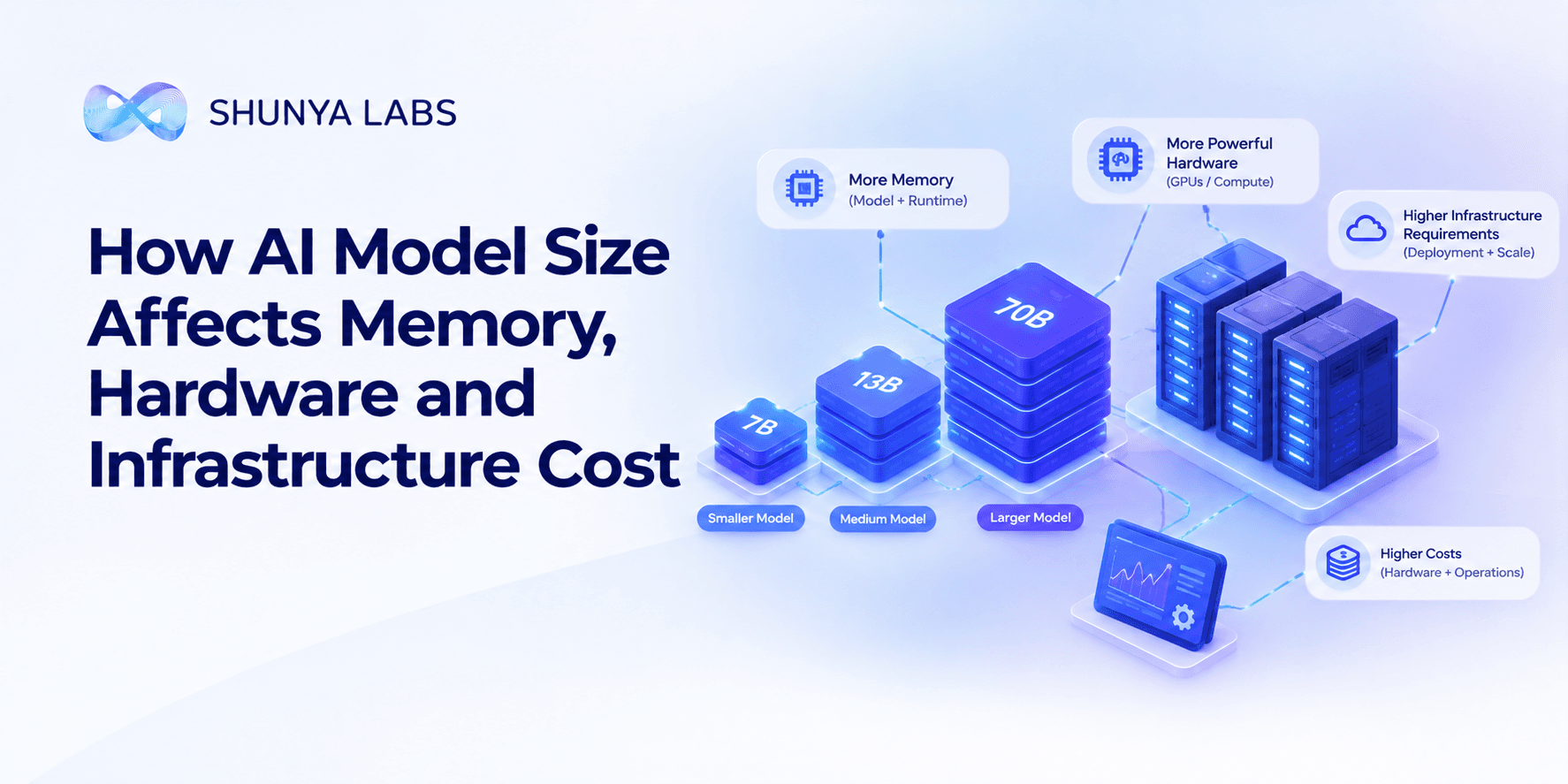
A larger model does not only mean more parameters. It can also mean more memory, more powerful hardware, higher infrastructure requirements, more expensive deployment and lower flexibility when you need to run AI at scale.
This matters when an enterprise wants to run models in its own infrastructure, inside a private environment, across large numbers of concurrent users, or on devices with limited resources.
It also matters even when the model is accessed through a managed AI service. The infrastructure behind inference still has to provide enough memory and compute to serve the workload.
The key idea is simple:
Model size is an infrastructure decision, not just a model-quality decision.
A model that is unnecessarily large can increase the amount of hardware required to run the application. A smaller, purpose-trained model can sometimes deliver the required task performance with a much lighter infrastructure footprint.
Our Custom SLM architecture is built around this principle, with purpose-trained models designed for specific enterprise workflows rather than using the largest possible model for every task.
Why does AI model size matter for infrastructure?
The simplest way to understand the relationship is:
Bigger model → more parameters → more model data → more memory and compute
A model’s parameters are the learned values that allow it to perform its task.
When you run the model, those values need to be available to the inference system.
That means a larger model generally needs more memory just to load its weights.
For example, AWS’s current inference guidance estimates the model-weight memory of a 7B model at approximately 14 GB in FP16, compared with approximately 140 GB for a 70B model at the same precision.
That is a significant difference before considering:
- The input context
- The output being generated
- Concurrent requests
- Runtime overhead
- Other application components
This is why model size can quickly become an infrastructure decision.
Model storage and runtime memory are different
There are two concepts that are often mixed together.
Model storage
This is the space required to store the model itself.
A model can be stored on:
- SSD
- local storage
- network storage
- or other persistent infrastructure.
Runtime memory
When the model is actually running, it needs memory that can be accessed quickly during inference.
For GPU-based workloads, this often means GPU memory.
That memory needs to hold the model and other information required while requests are being processed.
This distinction matters because a model can technically fit on disk but still not fit into the available runtime memory.
AWS specifically recommends checking whether the model and associated runtime memory requirements fit the available accelerator memory before selecting the infrastructure for an inference workload.
Why GPU memory matters so much
Most enterprise discussions about LLM infrastructure eventually come back to one question:
How much GPU memory do we need?
GPU memory limits can determine whether a model can run on: one GPU, multiple GPUs, a larger GPU or a distributed multi-node setup.
For example, AWS currently lists inference accelerators with different memory capacities ranging from 22 GB on an L4 to 180 GB on a B200 and 268 GB on a B300, illustrating how model requirements can quickly determine which hardware is even viable.
If your model requires more memory than a single accelerator can provide, the architecture becomes more complicated.
You may need to:
- split the model across multiple GPUs
- use a larger accelerator
- reduce numerical precision
- reduce concurrency
- or choose a smaller model.
This is why model selection should happen alongside infrastructure planning, not after it.
A bigger model can mean more GPUs
Consider a model that cannot fit into one GPU.
The system may need to distribute it across multiple GPUs.
This is known as model sharding or model parallelism.
The model can still run, but now the infrastructure has additional requirements: more hardware, more memory, GPU-to-GPU communication, more complex deployment, higher infrastructure cost, potential communication overhead
AWS’s current guidance notes that models that exceed the memory of a single accelerator may need to be distributed across multiple GPUs, and that communication between GPUs can affect latency and throughput.
For the enterprise, this creates a practical question:
Do we actually need a model large enough to justify a multi-GPU deployment?
For some workloads, the answer is yes.
For many specialised workloads, it may not be.
Model size is not the only thing using memory
This is where AI infrastructure becomes more interesting.
The model weights are only one part of the runtime memory requirement.
The system also needs memory for other inference state.
One particularly important component is the KV cache, which stores information from the current context so the model does not have to repeatedly recompute it during generation.
The technical name is useful to know, but the business idea is simpler:
Longer conversations and more simultaneous users can require more runtime memory.
AWS’s current guidance notes that KV-cache memory grows with factors including context length, output length and concurrent requests.
That means two businesses running the same model can have very different infrastructure requirements.
Example
Company A:
Short prompts + short responses + 2 concurrent users
Company B:
Long documents + long conversations + 100 concurrent users
They are using the same model.
They may need very different infrastructure.
This is why model size alone is not enough to estimate AI hardware requirements.
Longer context can increase infrastructure requirements
This connects directly to our previous article on reducing AI token usage.
Suppose the model is asked to analyse:
1,000 tokens of context
versus:
16,000 tokens of context
The model weights have not changed.
But the amount of runtime state required can increase significantly.
AWS provides an example where a Mistral 7B deployment with one request and 1,000-token context uses far less KV-cache memory than the same model handling 16,000-token context, and the memory requirement grows further with multiple concurrent requests.
This is why context management affects both cost and infrastructure.
Good retrieval can therefore do more than improve answer relevance.
It can also reduce the amount of unnecessary information the system needs to process.
Why smaller models can reduce hardware requirements
This is where Small Language Models become particularly relevant.
A smaller model can require less memory for its weights.
That can make it possible to run inference with:
- less GPU memory
- fewer GPUs
- smaller instances
- more CPU-friendly infrastructure
- higher concurrency on the same hardware
- more deployment flexibility
Our Custom SLM architecture is designed around purpose-trained models for enterprise workflows, terminology and decision-making.
The platform currently describes dedicated models ranging from 15M to 1.5B parameters, giving enterprises the option to right-size model capacity around the workload rather than treating very large models as the default.
This is important because an enterprise does not necessarily benefit from a model being larger than the task requires.
Smaller models can improve infrastructure efficiency
The benefit of a smaller model is not simply:
“It uses less memory.”
A smaller footprint can change what you can do with the available hardware.
For example, the same infrastructure may support:
- more simultaneous users
- more model instances
- lower-cost hardware
- faster model loading
- private deployment
- edge deployment
That is why it is useful to think about inference density.
Instead of asking:
“How fast is this model for one request?”
ask:
“How many useful business requests can this infrastructure handle at the required performance?”
Our published Custom SLM benchmarks report 10× smaller models, 3× faster inference and 240+ concurrent users on a single L4 for the evaluated workloads.
These are published benchmark results for our specific workloads and methodology, not a universal guarantee that every smaller model will outperform every larger model.
But the architectural principle is broader:
When a model is smaller because it is specialised, the infrastructure can often be sized much closer to the actual task.
Quantisation can reduce memory requirements
There is another way to make models smaller at runtime: quantisation.
In simple terms, quantisation stores model weights using fewer bits.
That can reduce memory requirements significantly.
AWS’s current inference guidance provides a useful example for a 7B model:
| Model precision | Approximate memory for model weights |
|---|---|
| FP16 / BF16 | 14 GB |
| FP8 / INT8 | 7 GB |
| 4-bit | 3.5 GB |
This can make a model easier to fit into available hardware.
But quantisation is not a magic solution.
The appropriate precision depends on the model, workload and required quality.
The better strategy is usually:
choose the right model first
then:
optimise how efficiently that model runs
rather than selecting an unnecessarily large model and trying to compress your way out of the infrastructure problem.
Storage matters too
Infrastructure planning also needs to consider where models and supporting data are stored.
A large model may require significant persistent storage to:
- download
- store
- version
- load
- and update model files.
This becomes more noticeable when an organisation runs:
- multiple models
- multiple versions
- different regional deployments
- specialised models
- fallback models
- edge deployments
A multi-model environment can therefore accumulate considerable storage requirements even before inference starts.
Smaller models can make it easier to keep multiple specialised models available.
This becomes especially useful for organisations that want to route different tasks to different models.
On-device AI changes the infrastructure equation
The most obvious example of model size changing infrastructure is edge and on-device AI.
If the model is small enough, it may be possible to run it directly on:
- phones
- kiosks
- vehicles
- embedded systems
- branch devices
- industrial equipment
without relying on a large cloud inference environment.
Our Zero Tiny ONNX on-device models are designed around this use case, with 5–15 MB models, CPU-only inference and no internet dependency.
This creates a fundamentally different infrastructure model:
Large cloud model
→ powerful central infrastructure
→ network round trip
→ cloud inference
versus:
Small local model
→ local CPU
→ local inference
→ immediate response
The choice depends on the workload, but model size can determine whether the second architecture is practical at all.
Smaller models can make private AI easier to deploy
Not every business wants every AI workload to run through an external API.
There can be requirements around: data privacy, data sovereignty, regulation, security, network isolation, intellectual property, air-gapped environments
A smaller model can make private deployment easier because the infrastructure required to serve it may be more manageable.
Our enterprise AI platform supports deployment across cloud, private VPC, on-premises and edge environments, allowing infrastructure to be selected according to the requirements of the application.
The important point is that deployment flexibility is partly determined by model size.
A model that requires a large multi-GPU environment is not equally practical everywhere.
Model size also affects scaling
Suppose one model instance can serve a certain amount of traffic.
As traffic grows, the enterprise may need more instances.
A larger model can therefore increase the amount of infrastructure required to scale horizontally.
That matters when an application has:
- peak traffic
- seasonal usage
- multiple customers
- 24/7 workloads
- large contact-centre volumes
- high concurrency
A smaller model can sometimes support more traffic on the same infrastructure.
This does not mean smaller models always scale better. Actual performance depends on architecture, hardware and workload.
But model size becomes an important variable in capacity planning.
Why infrastructure cost is more than GPU cost
When businesses calculate AI infrastructure, it is tempting to look only at the GPU bill.
The actual infrastructure footprint can also include:
- GPU or accelerator capacity
- CPU
- RAM
- storage
- networking
- load balancing
- orchestration
- monitoring
- power and cooling
- redundancy
- deployment environments
- engineering and operational overhead
A larger model can affect several of these at once.
For example, a model that needs multiple GPUs may also need more networking and more complex orchestration than a model that fits comfortably on one accelerator.
This is why right-sizing the model can be a more effective cost strategy than optimising infrastructure after the model has already been selected.
Not every enterprise task needs the same infrastructure
This is where our broader model-routing approach becomes useful.
Different tasks can use different levels of model capacity.
For example:
Intent classification → Custom SLM
Policy lookup → SLM + knowledge graph + retrieval
Structured extraction → specialised model
Complex document analysis → larger LLM
On-device speech intent → lightweight local model
Deterministic workflow → software or business rules
This prevents the enterprise from sizing infrastructure around its most demanding possible task and then using that infrastructure for everything.
Model size and hardware should be chosen together
A common mistake is:
1. Pick a model
2. Discover the model needs too much memory
3. Buy more hardware
A more efficient process is:
1. Define the workload
2. Determine the required accuracy and latency
3. Evaluate model sizes
4. Estimate memory requirements
5. Test under realistic concurrency
6. Select the right hardware
7. Benchmark cost and throughput
AWS’s current guidance recommends defining workload characteristics such as prompt length, response length, concurrency and latency targets before sizing inference infrastructure, because two deployments using the same model can have very different infrastructure requirements.
This is the right way to approach enterprise AI infrastructure.
What should enterprises measure?
A model should not be evaluated only by whether it fits on a particular GPU.
A better infrastructure evaluation includes:
Model memory
How much memory is required just to load the model?
Runtime memory
How much additional memory is required during inference?
Context requirements
How does memory change with longer inputs?
Concurrency
How many users can the system handle simultaneously?
Latency
What response time can the infrastructure maintain under realistic load?
Throughput
How many useful requests can the system process?
Infrastructure cost
What does the complete deployment cost?
Scaling
What happens when traffic doubles or peaks?
Deployment flexibility
Can the model run where the business actually needs it?
Reliability
Does the system remain stable under production conditions?
The most useful metric is ultimately:
How many successful business tasks can this infrastructure complete at the required accuracy, latency and cost?
What a right-sized enterprise AI architecture looks like
A right-sized architecture may look like:
Business task
↓
Determine complexity
↓
Select appropriate model
↓
Provide relevant enterprise knowledge
↓
Run inference
↓
Validate and complete the task
Different tasks can therefore have different infrastructure.
A small model may run on modest infrastructure.
A more complex workload may use a larger GPU.
An edge task may run locally.
A high-risk workflow may use a larger model with additional validation.
The architecture adapts to the task.
It does not force every task onto the same hardware.
Final thoughts
AI model size has a direct effect on more than model capability.
It affects: memory, hardware, storage, concurrency, latency, scaling and deployment options.
A model that is larger than the task requires can create unnecessary infrastructure requirements.
A model that is too small can fail to deliver the required quality.
The goal is therefore not:
“Use the smallest model possible.”
It is:
“Use the smallest model that reliably meets the business requirement.”
That might mean a large LLM for a complex reasoning task.
It might mean a purpose-trained SLM for a high-volume enterprise workflow.
It might mean a lightweight local model for an edge application.
Or it might mean no language model at all for a deterministic business rule.
The most effective enterprise AI architecture is the one that matches model capacity to the actual job.
Our Custom SLMs, knowledge-grounded platform and on-device models are all built around this broader idea of right-sized intelligence: use enough model and infrastructure to solve the problem well, without carrying unnecessary complexity into every workload.
Frequently Asked Questions
How does AI model size affect memory?
Larger models generally require more memory because their model weights contain more parameters. Runtime memory can also increase with longer context and more concurrent requests.
How much GPU memory does an LLM need?
It depends on the model size, numerical precision, context length, concurrency and serving setup. As a simple illustration, AWS estimates approximately 14 GB for 7B model weights and 140 GB for 70B model weights at FP16, before accounting for other runtime memory.
Does a larger model need more GPUs?
It can. If the model and runtime memory exceed the capacity of one accelerator, the system may need multiple GPUs or a higher-memory accelerator.
What is the difference between model storage and GPU memory?
Model storage is where the model files are kept when they are not actively running. GPU memory is used to execute the model during inference, along with other runtime information.
Does context length affect GPU memory?
Yes. Longer context can increase runtime memory requirements because the system may need to maintain more information during generation. AWS notes that KV-cache memory scales with context length and concurrent requests.
Can smaller AI models reduce infrastructure costs?
They can, particularly when the smaller model is capable enough for the workload. Lower model memory requirements can allow smaller accelerators, fewer GPUs, higher concurrency or more flexible deployment.
Can AI models run without a GPU?
Some can. Model architecture and optimisation matter. Our on-device models, for example, are designed for CPU-only inference, including lightweight models in the 5–15 MB range.
What is model quantisation?
Quantisation reduces the numerical precision used to represent model weights, which can reduce memory requirements and sometimes improve inference efficiency. The appropriate precision depends on the model and required quality.
Does a smaller model always use less infrastructure?
Not automatically. Infrastructure requirements also depend on context length, concurrency, model architecture, optimisation and serving configuration. A well-designed smaller model can, however, be much easier to deploy efficiently for a suitable workload.
Is model size the most important factor in AI infrastructure cost?
It is an important factor, but not the only one. Prompt size, output length, concurrency, latency targets, context, hardware and deployment architecture can all materially affect infrastructure requirements.
Learn More
Explore our Custom Small Language Models, enterprise AI platform, on-device AI models,

Bio: Navvya works at the intersection of product strategy and applied AI research at Shunya Labs. With a background in human behaviour and communication, she writes about the people, markets, and technology behind voice AI, with a particular focus on how speech interfaces are reshaping access across emerging markets.